Automation
Event-driven email sequences
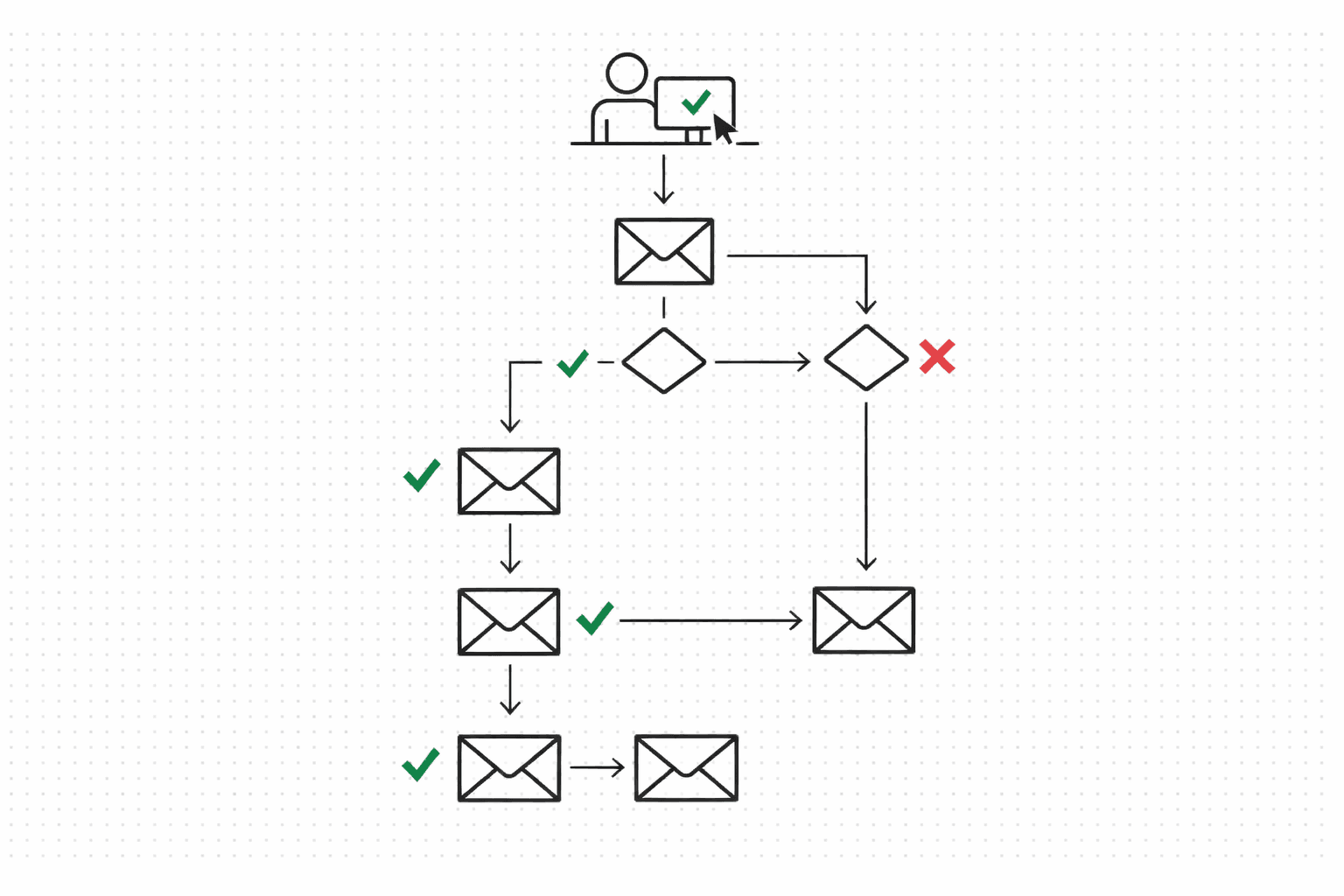
Define steps, activate the journey, fire product events. Molted Email handles execution, branching, and per-contact run tracking. No cron jobs, no polling loops.
How it works
Create a journey
POST to /v1/journeys with a name and a trigger event (something like "user.signed_up" or "trial.ending").
Add steps
Four step types: send (email), delay (wait N minutes), branch (conditional routing), and end. Add them in order via POST /v1/journeys/:id/steps.
Flip it to active
PATCH /v1/journeys/:id with status "active". Inactive journeys ignore trigger events, so you can build and test before going live.
Fire events from your agent
POST to /v1/agent/events/ingest with an event name and contact email. If the event matches a journey trigger, a run spins up and the first step fires immediately.
Execution is automatic
Send steps go through the full policy engine (deduplication, rate limits, suppressions). Delay steps pause. Branch steps route based on contact fields. You don't manage any of this.
Per-contact run tracking
GET /v1/journeys/:id/runs shows active and completed runs. Duplicate runs for the same journey + contact are blocked automatically.
Build a journey
POST /v1/journeys + POST /v1/journeys/:id/steps
// 1. Create the journey
POST /v1/journeys
{
  "tenantId": "your-tenant-id",
  "name": "Onboarding Sequence",
  "triggerEvent": "user.signed_up"
}

// 2. Add a send step
POST /v1/journeys/:id/steps
{
  "tenantId": "your-tenant-id",
  "stepOrder": 1,
  "stepType": "send",
  "config": {
    "templateId": "onboarding-welcome",
    "dedupeKeyPrefix": "onboarding",
    "payload": { "trialDays": 14 }
  }
}

// 3. Add a delay step
POST /v1/journeys/:id/steps
{
  "tenantId": "your-tenant-id",
  "stepOrder": 2,
  "stepType": "delay",
  "config": { "delayMinutes": 1440 }
}
Step types
Send
Policy-checked email send. Template, dedupe key, dynamic payload. If policy blocks it, the run continues but the send is skipped.
Delay
Wait N minutes. Simple but essential for spacing out a welcome series or giving a trial user time to activate.
Branch
Conditional routing based on contact fields. Different paths for different segments, within the same journey.
End
Marks the run as complete. That's it. Contacts who reach this step are recorded as finished.
One event starts the whole sequence
Fire a product event and the matching journey kicks off. If a run already exists for that journey + contact, the duplicate is blocked.
POST /v1/agent/events/ingest
{
  "tenantId": "your-tenant-id",
  "eventName": "user.signed_up",
  "contactEmail": "alice@example.com",
  "payload": { "plan": "starter" }
}
Stop managing sequences by hand
Define the journey once. Events trigger it, policy governs every send, and you get per-contact tracking without building any of the plumbing.