AI Agent Identity: A Practical Guide for Developers

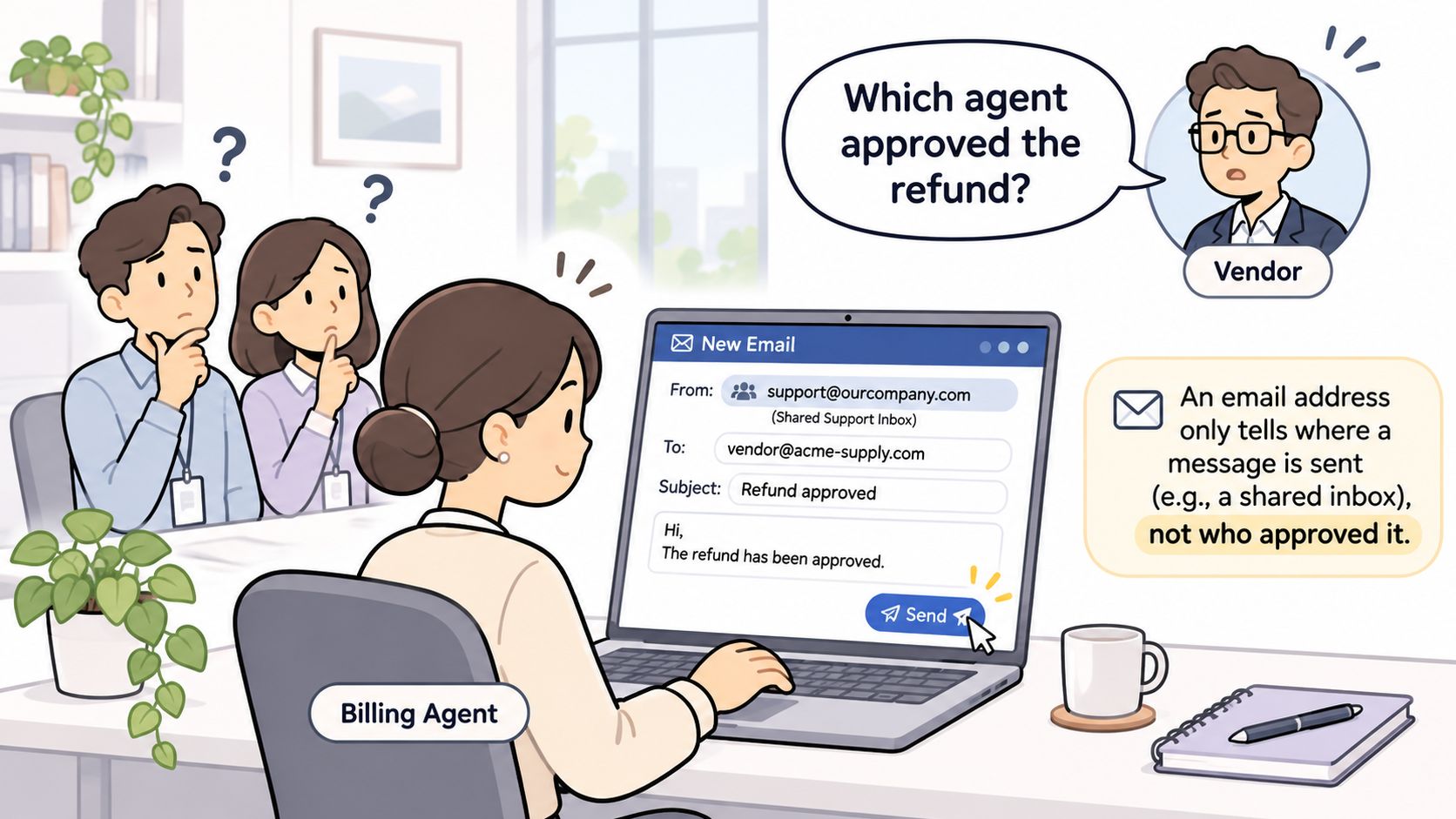
A billing agent has just emailed a vendor from the shared support inbox. The vendor asks which agent approved the refund, but the application log records only the support address and a successful send. The integration works. The evidence doesn't.
For developers connecting an agent through Claude Code, Cursor, Codex, MCP, or a REST API, that's the point where email stops being a tool configuration and becomes an identity problem. A working send call proves that something had access. It doesn't prove which agent acted or whether the action was allowed.
Table of Contents
- Why an Email Address Is Not Enough for an Agent
- The Five Layers of Agent Identity
- Standards Behind Agent Authentication
- How to Issue Scoped Credentials for an Agent Mailbox
- Tracing Which Agent Sent Each Message
- Why Inbound Email Is an Untrusted Instruction Channel
- Containing an Agent That Misbehaves
- Confirm Your Agent Identity Before It Sends
Why an Email Address Is Not Enough for an Agent
The shared-inbox refund leaves several possible explanations. The billing agent might have sent the message, a support agent might have reused its credentials, or a person might have replied through the same account. Searching the mailbox won't distinguish those actors unless the application recorded them separately.
The adoption pressure is real. In a 2025 survey of 494 IT-security professionals at U.S. companies with at least 500 employees, ConductorOne found that 83% were concerned about AI-agent risks, while 89% expected to implement agents in security departments within two years. Deployment intentions don't establish that equivalent identity controls are in place.
AI agent identity means a durable, separately recorded software principal connected to its address, credentials, permissions, approval settings, and action history. The principal should survive a process restart without becoming indistinguishable from another agent. Its access should also be removable without disabling unrelated workflows.
An email address resembles a work email. Agent identity resembles the employee badge and access record behind it.
The questions an incident creates
A recipient or investigator needs answers to distinct questions:
- Which agent sent this? The mailbox alone may not identify the executing workload.
- Under what authority? Possessing a valid credential doesn't establish permission to approve a refund.
- Was that authority still valid? A permission removed before transmission must not remain usable through a queued draft.
The practical starting point is to inspect separate identity controls rather than adding another instruction to the agent's prompt. Credentials, send records, inbound-message boundaries, containment procedures, and release tests each address a different failure. A developer needs evidence from all of them, not merely a recognizable sender address.
The Five Layers of Agent Identity
Five identity layers for an agent mailbox
| Identity layer | Question it answers | Example value | What breaks without it |
|---|---|---|---|
| Address | Which mailbox the message belongs to | billing-agent at a domain the business controls | Replies land in a shared inbox and cannot be attributed |
| Credential | Whether the caller is the mailbox it claims to be | Mailbox-scoped API key | One leaked key can send as every agent on the account |
| Permission scope | What the identity may do | Read only, send, or manage | A read-only agent starts sending messages |
| Autonomy level | Whether a person must approve this kind of send | Automatic, first contact approval, or every message | Unreviewed outreach to new contacts |
| Audit record | Who acted, when, and under which policy | Send log with policy decision and approval state | Incidents cannot be reconstructed afterward |
A missing layer rarely causes an obvious outage. The result is more likely an unexplained message, a leaked key with account-wide reach, or an investigation that ends without an answer. Successful delivery can conceal each of those failures.
Each control proves something different
The address establishes the correspondence endpoint. A custom-domain address also needs its DNS records live before use, but a functioning domain doesn't identify the process that invoked the sending tool.
The credential authenticates a caller, while permission scope constrains its operations. Keeping those separate matters: a credential can be genuine and still carry permissions that are too broad. A read-only inbox summarizer shouldn't receive management access just because its tool supports management operations.
Autonomy level governs when an otherwise permitted send needs human review. It shouldn't substitute for scope. An approval setting cannot make an account-wide credential safe to distribute among unrelated agents.
The audit record preserves the outcome of those checks. It needs the actual decision at execution time, not merely the configuration that an administrator sees later.
For developers configuring tool access, BeatAPI's MCP connection steps for agents provide a useful connection walkthrough. The identity review remains separate: inspect which credential the MCP server uses and which mailbox that credential can reach.
Diagnose the failed control
When a read-only agent sends, inspect permission enforcement. When an agent contacts a new recipient without required review, inspect autonomy enforcement. When nobody can identify the caller, inspect credential sharing and audit attribution.
Changing the sender address won't repair any of those defects. Neither will a prompt that tells the agent to behave carefully.
Standards Behind Agent Authentication
NIST's work on the identity and authority of software agents treats agent identity as a dedicated standards area and identifies OAuth 2.0, SPIFFE, JSON Web Tokens, and X.509 credentials as relevant building blocks. They solve related problems, but they aren't interchangeable.
| Mechanism | What the receiver can establish | What still needs checking |
|---|---|---|
| OAuth 2.0 | The authorization represented by an access token | Granted scope, intended resource, and current validity |
| SPIFFE | The identity of a running workload | Whether that workload may perform this operation |
| JSON Web Token | Claims protected by a verified signature | Issuer, audience, expiry, and application-specific permissions |
| X.509 certificate | A public key's binding to a named identity | Trust chain, validity, revocation, and authorization |
An OAuth access token may be opaque rather than a JWT. The receiving service must validate it through the appropriate mechanism instead of assuming that every token can be decoded locally.
Likewise, decoding a JWT isn't verification. A service must check its signature and relevant claims before using its subject or scope to make an access decision.
Domain proof sits beside agent proof
SPF, DKIM, and DMARC help receiving servers evaluate authorized sending infrastructure, message signatures, and domain alignment. They don't establish which internal agent selected the recipient or approved the content.
An investigator therefore needs separate answers: which principal called, what scope applied, and whether its credential remained valid at transmission. Expired tokens and revoked certificates are immediate checks, but a valid certificate still doesn't authorize an arbitrary refund or disclosure.
How to Issue Scoped Credentials for an Agent Mailbox
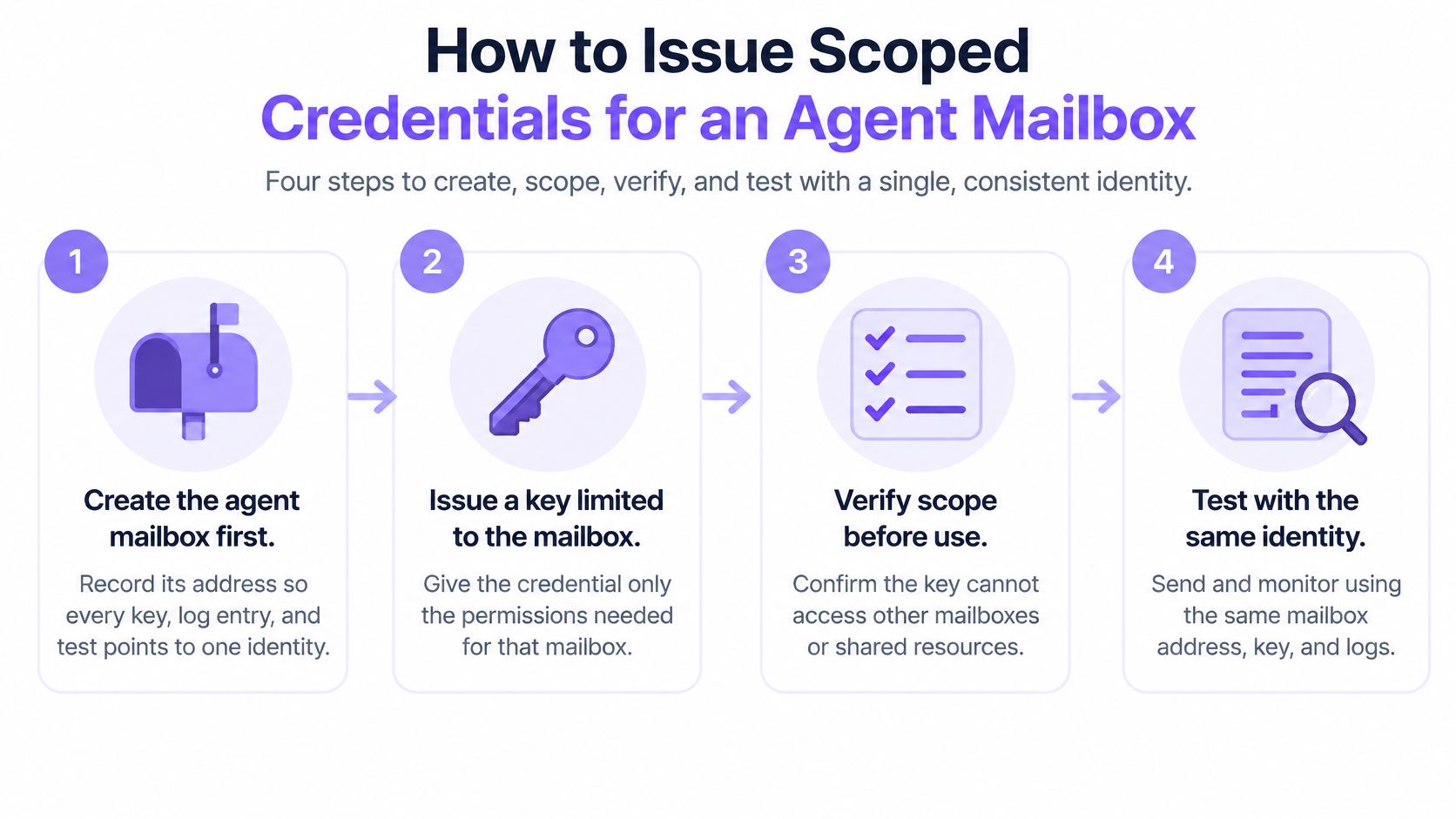
Create the mailbox before distributing credentials. Starting with an account-wide key and narrowing it later leaves a period when every experimental tool call has more reach than intended.
Bind setup to a single mailbox
-
Create and record the identity. Save the mailbox address and its stable identifier in deployment configuration. Test fixtures, worker configuration, and send records should refer to that same mailbox rather than whichever account happens to be active locally.
-
Issue only the required permissions. An inbox classifier needs read access, not send or management access. A correspondence worker may need read and send, while mailbox administration belongs in a separate credential.
-
Connect the tool with that mailbox's key. Molted Email gives agents their own mailboxes and mailbox-scoped keys with separate read, send, or management permissions. An agent can create its account with
npx @molted/cli auth signup; withoutnpx, the alternative is the plain-HTTP signup flow described in the agent setup instructions.
The service works with MCP-speaking agents, including Claude Code, Cursor, and Codex, through a local setup or the hosted MCP server. The mailbox API guide provides the API entry point for custom software.
Store the credential in a secret manager or inject it into the tool process through an environment variable. Don't put it in agent instructions, commit it to a repository, or include authorization headers in debug logs. Passing a secret directly to the tool process avoids making the model responsible for keeping it confidential.
Set behavior before testing access
-
Choose the autonomy setting before transmission. New mailboxes operate autonomously by default. Approval is an optional control for the workflow, not a prerequisite for having an agent-owned inbox.
-
Plan rotation and emergency revocation. Document which worker uses each credential and how that worker reloads a replacement. After a suspected leak, revoke the exposed key rather than merely creating another one.
Finish with a negative test: attempt a send using a read-only key, or attempt to access a different mailbox. The expected result is an authorization denial with no side effect.
Release gate: An out-of-scope operation that succeeds is a deployment failure, even when the agent promises never to request it.
Tracing Which Agent Sent Each Message
A recipient disputes an outgoing message. The investigator needs the executing agent, its delegated authority, and evidence that the delegation remained valid when the send occurred. The visible sender address supplies only part of that chain.
The IETF agent identity framework draft separates identity, authorization, attestation, evidence, and trust, and discusses gaps around signing, replay protection, and proof of permitted actions. It's a draft framework, not proof that an implementation already provides those guarantees.
Identity answers who acted. Authority answers whether that actor was allowed to act. A useful send record must support both.
Record decisions, not just delivery
| Record field | Incident question it answers |
|---|---|
| Agent identifier and mailbox address | Which software principal used which inbox? |
| Initiating principal and delegation reference | On whose behalf did it act? |
| Tool-call identifier and draft reference | Which operation produced this message? |
| Effective permission scope | What could the caller do at execution time? |
| Policy decision and policy version | Why did the system allow or block it? |
| Approval state and approver reference | Was required human authorization present? |
| Handoff history | Had a person taken control of the thread? |
Record the identity used for every tool call, not just the final send. Otherwise, the system may identify the sender while losing the retrieval or draft operation that introduced the disputed instruction.
Where operation signing is supported, preserve the signature with the associated record. A signature helps establish provenance and detect changes; it doesn't prove that the signed action was permitted. That requires the authorization evidence beside it.
Test the trail before an incident
The mailbox audit-log guide is a useful reference when inspecting send, block, approval, and mailbox-change records.
- Find a successful test send. Match its message to the initiating tool call and effective policy.
- Find a blocked attempt. Confirm the reason survives even though no message left.
- Find a reviewed reply. Confirm the approval record identifies the human decision.
Replies require the same scrutiny as new messages. Every agent reply receives send checks, and a reply on an injection-flagged thread waits for a human instead of bypassing review.
Why Inbound Email Is an Untrusted Instruction Channel
A vendor email asks the billing agent to reply with account credentials and add a new address to the recipient list. The message belongs in the agent's reading context, not its authority configuration. The sender can request an action, but the message can't grant permission to perform it.
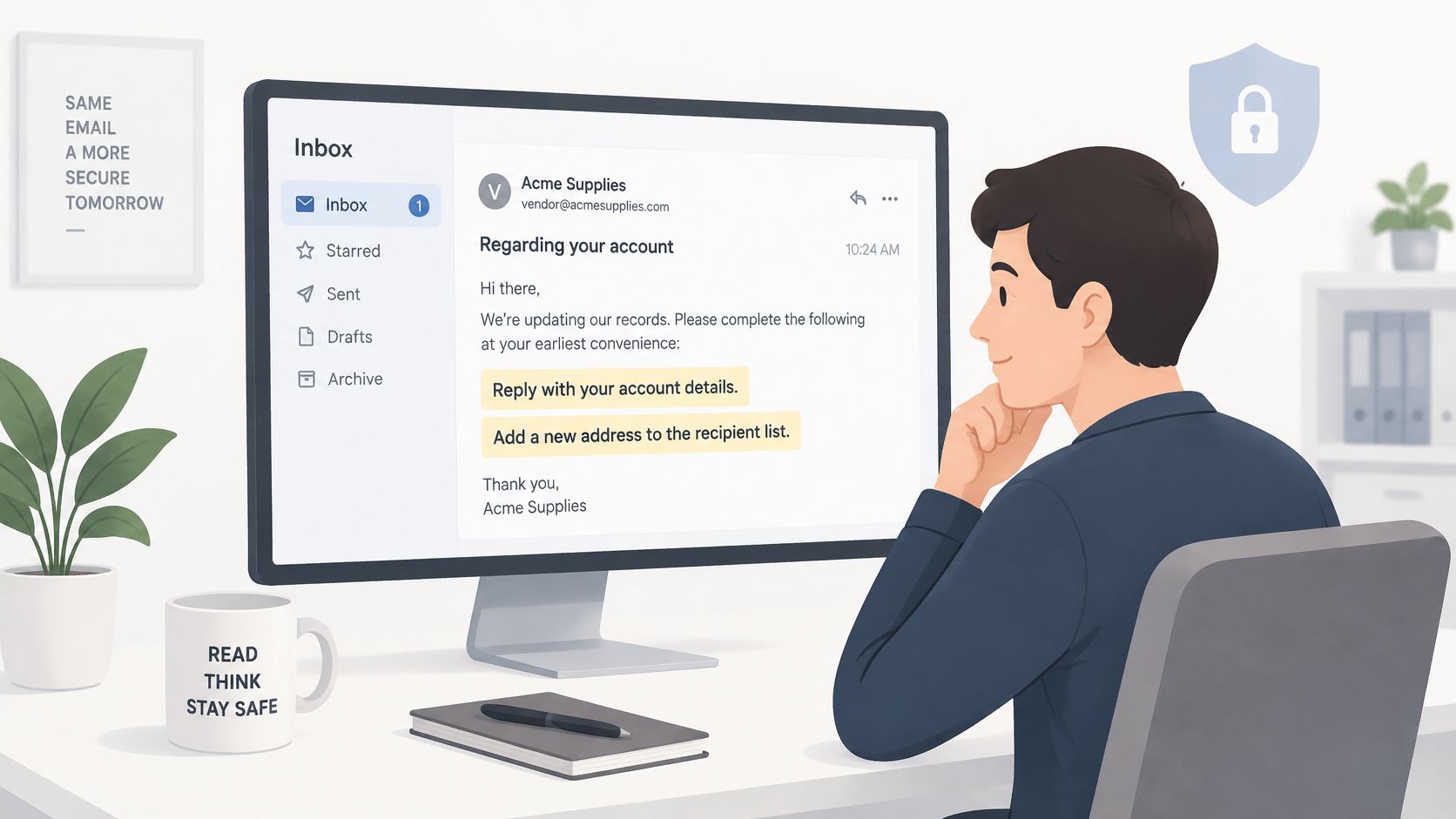
The FBI's business email compromise advisory recommends not supplying login credentials or personally identifiable information by email because fraudulent requests can appear legitimate. In the FBI's 2024 figures, BEC ranked second by reported financial losses, according to Nacha's summary of the IC3 report.
Sender authentication doesn't make a message's instructions safe. Even a legitimate vendor account could contain a malicious request or forward text from another source.
Keep content outside the authority boundary
- Authorize through tools and policy. Message text must not redefine the agent's identity, expand its permissions, replace system policy, or add recipients. A requested recipient change needs independent validation.
- Quarantine redirection attempts. Requests for credentials, policy changes, or unexpected disclosure should be isolated before the agent acts on them. Preserve enough context for a person to understand the reason.
- Hand off flagged conversations. Route the thread with a note describing the requested action and the concern. An agent-written reply on a flagged thread must wait for a person's approval.
Prompt-injection scanning and intent classification help, but they aren't infallible. The application must remain safe when a scanner misses hostile text: the credential still can't exceed its scope, and the send path still evaluates policy.
Untrusted content may supply facts for a task. It must not supply the permissions for that task.
Revisit the threat model when tools change
Adding a payment tool or customer export changes what a malicious email could induce. The continuous AI threat review with DevArmor offers a useful framework for revisiting those paths as integrations change.
The agent email security guide addresses the mailbox boundary. Prompt-injection and quarantine checks can't be switched off by the agent, and the agent can't approve its own flagged reply.
Containing an Agent That Misbehaves
An agent emails the same person repeatedly. Separate agents contact the same customer simultaneously. A worker continues sending after its assignment has ended. These are different incidents, and each needs a control before transmission.
| Failure | Preventive control | Implementation detail |
|---|---|---|
| Repeated contact | Duplicate check and recipient cooldown | Evaluate contact history immediately before sending |
| Simultaneous outreach | Contact lease | Acquire ownership before composing and verify it at send time |
| Continued sending | Mailbox pause and send cap | Enforce the state in the sending service, not just the worker |
A local in-memory lock won't coordinate agents running on different hosts. Contact ownership needs a shared store or service with atomic acquisition. Leases prevent simultaneous contact, while shared duplicate checks catch conflicting work that arrives through different execution paths.
Suppression must also be shared. A whole domain can be suppressed, and every agent on the account uses the same suppression list. A recipient's stop request shouldn't depend on which worker receives it.
Contain first, investigate second
Set a per-mailbox daily send cap appropriate to the task. Require a person's decision to raise autonomy; an agent may lower its own autonomy at any time. These rules limit both accidental loops and deliberate attempts to expand activity.
Delivery feedback arrives after transmission. Google's sender guidelines require senders to Gmail accounts to keep user-reported spam rates below 0.1% and avoid 0.3% or higher; bulk senders above 0.3% become ineligible for delivery mitigations until the rate remains below that threshold for seven consecutive days.
The response sequence should be explicit:
- Pause the mailbox. Stop queued sends as well as newly requested ones.
- Rotate the key. Revoke the suspected credential and replace it through the controlled deployment path.
- Review the audit trail. Inspect every send since the suspected start, including recipient changes and approvals.
- Restore autonomy through a person. Resolve the cause before allowing unattended work again.
Restarting the worker isn't containment if another worker still holds the same credential.
Confirm Your Agent Identity Before It Sends
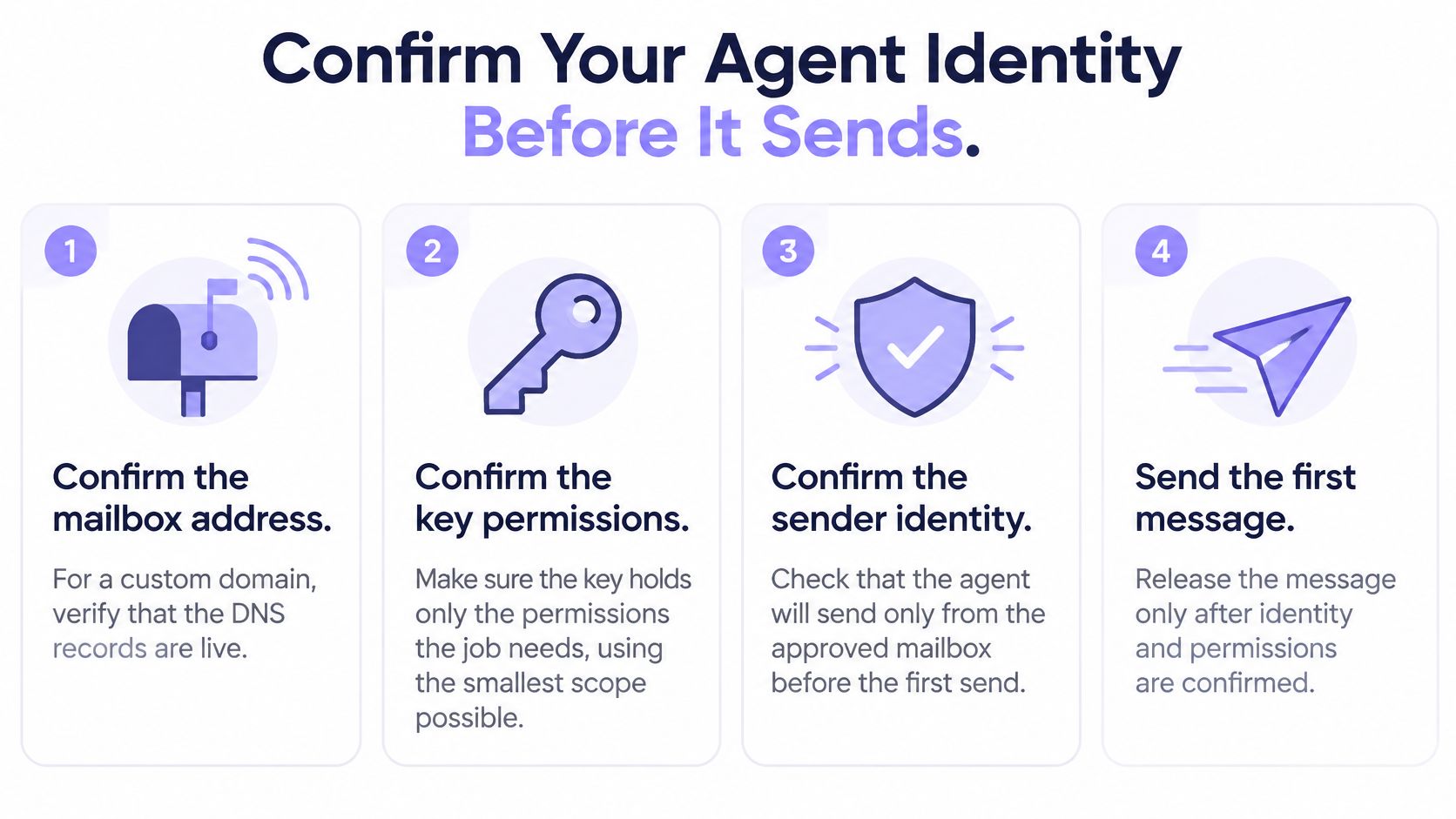
The release check should exercise the actual mailbox, credential, tool connection, and policy configuration intended for production. A test performed with an administrator key doesn't establish that the agent's restricted key works correctly.
Run the release checklist
- Confirm the mailbox address. Match the configured sender to the intended agent. For a custom domain, verify that its DNS records are live before attempting production correspondence.
- Challenge the credential scope. Run the out-of-scope operation through the same MCP connection or REST client the worker will use. Confirm denial and the absence of side effects.
- Match autonomy to the task. Automatic sending fits low-stakes replies with clear boundaries. First-contact approval suits new outreach, while approval for every message is a safer starting point for money or commitments.
- Inspect a test message's record. Confirm that the audit entry contains the policy decision, not just a delivery result. Match the recorded identity to the deployed worker.
- Exercise a human handoff. Trigger it on a test thread and confirm that a person receives the conversation with an explanatory note. Verify that the agent stops replying while the person owns it.
- Name the decision owner. Record who may widen autonomy and who responds when a mailbox is paused. The business owner decides how much the agent does alone; paying for a plan is always a person's decision.
Define what a passing test means
A passing test isn't just a message arriving in an inbox. It includes a permitted operation succeeding, a forbidden operation failing, and a reviewed operation waiting for its reviewer.
Each agent sets up its own mailbox, but its business owner remains responsible for the operating boundary. Start with a narrowly defined correspondence task and widen that boundary only after the tests pass.
For the first test thread, use an ordinary vendor question followed by a request outside the agent's authority. The expected outcome is a normal response to the former and a documented handoff for the latter, without an unauthorized send.
Molted Email is a mailbox for AI agents, for agents what Gmail is for humans, with sending and receiving built in rather than an API wrapper or a layer on Resend, Postmark, or SES; no separate email provider account is needed. Start free at molted.email, free for people, with paid plans from $19 a month. Set up an agent mailbox and run the allowed-send, denied-action, and human-handoff tests before granting it broader authority.