API Key Management: Secure Setup, Rotation and Revocation
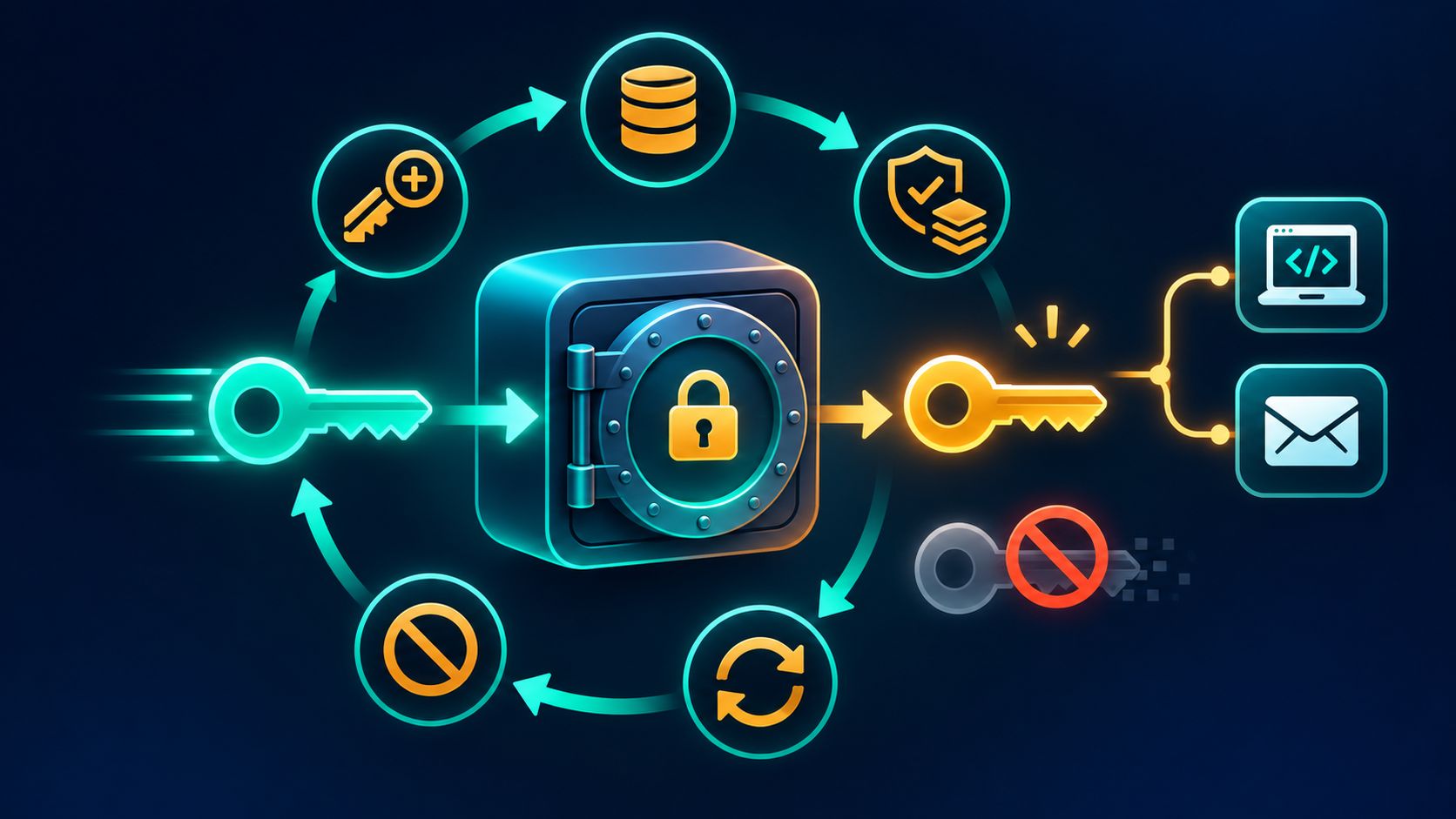
98% of leaked API keys remained usable when tested in a large-scale study of the RapidAPI ecosystem. Public exposure hadn't neutralized those credentials. Anyone holding a working key still held its authority.
For an AI agent with email access, that authority can include reading private conversations, sending messages, or changing mailbox settings. Effective API key management bounds those capabilities, tracks their use, and proves that a compromised credential no longer works. Keeping a string out of Git is necessary, but it isn't the finish line.
Table of Contents
- API Key Lifecycle at a Glance
- How to Scope Each Key to One Task
- Where to Store Keys and Where Never to Put Them
- How to Rotate a Key Without Downtime
- How to Respond to a Leaked Key
- Limit the Damage From a Compromised Agent Key
- Audit Your Keys This Week
API Key Lifecycle at a Glance
Discovery and revocation are separate controls. A scanner can identify an exposed key without changing whether the API accepts it. Each lifecycle stage therefore needs an operational default and a test, not just a policy document.
| Stage | Default setting | Check that it works |
|---|---|---|
| Issue | One key per agent per mailbox | Key label names the agent and the mailbox |
| Scope | Read, send or manage, only what the task uses | Removing a right breaks nothing the task needs |
| Store | Secret manager or runtime environment variable | Repository search returns no key strings |
| Rotate | Long-lived keys replaced every 90 days or less as an internal policy | Old key is rejected after cutover |
| Expire | Scheduled jobs use credentials that end with the job | No credential outlives its job |
| Revoke | Immediately on suspected exposure | Old key returns 401 on the next request |
The rotation interval above is a suggested team policy, not a universal security standard. A suspected leak overrides the calendar.
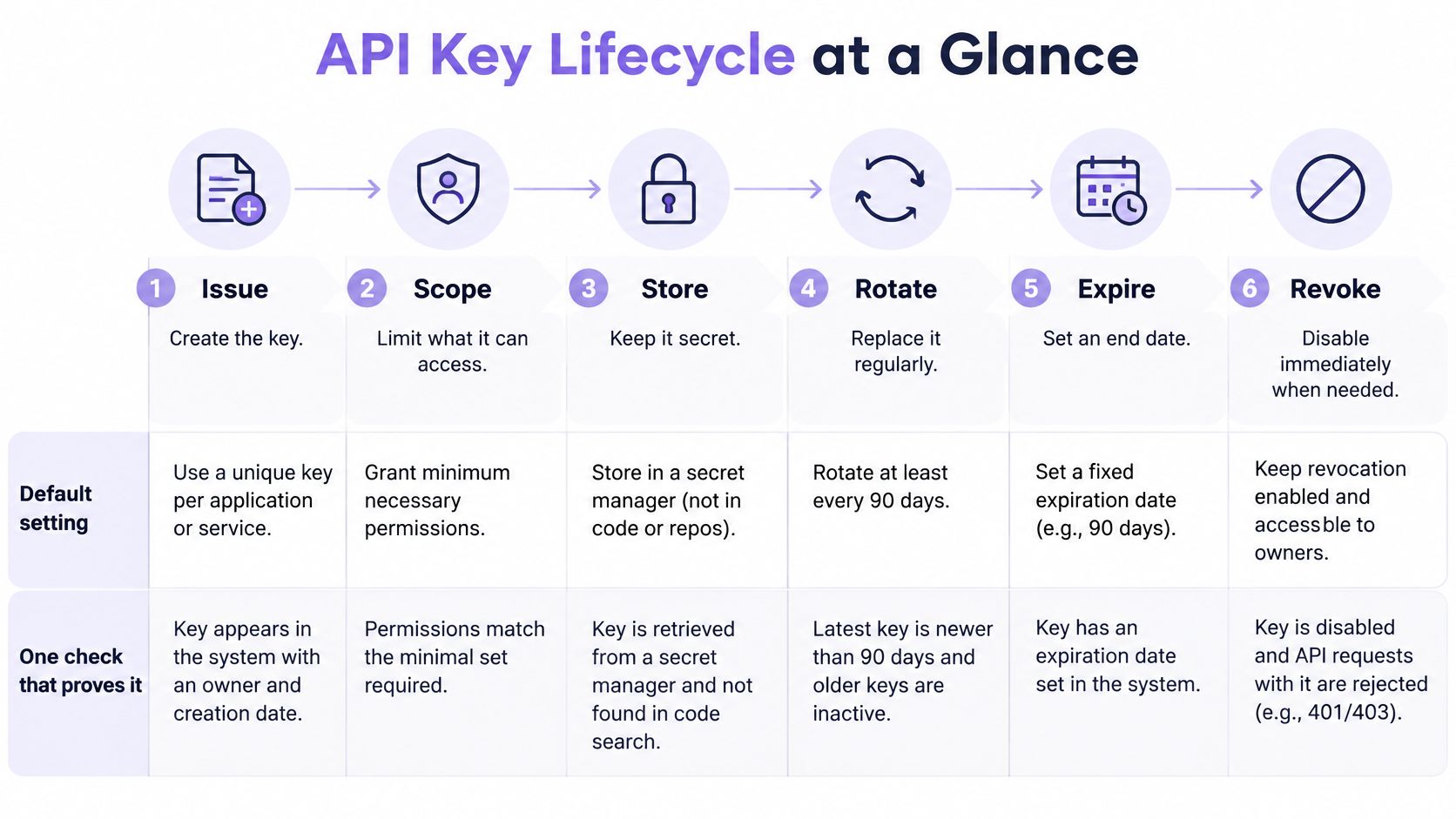
Make each stage testable
Issuance establishes ownership. A credential named support_reply_prod_issued_DATE gives an operator more context than default, but the inventory must also identify the mailbox and responsible person. The label isn't a substitute for the record.
Scope determines the size of the subsequent work. Replacing a mailbox-specific credential affects a bounded integration; replacing a shared administrative key requires finding every consumer before routine cutover can finish. Storage then determines how many copies an operator must replace.
Expiration and revocation serve different purposes. Expiration ends planned access automatically, while revocation ends access because circumstances changed. Neither should depend on an agent deciding to stop using its credential.
Operational rule: A lifecycle stage is implemented only when its failure can be demonstrated safely.
Security-testing workflows need the same discipline. ThreatExploit AI's resource on managing pentest API credentials provides context for handling credentials issued during testing, where temporary access can otherwise become forgotten access.
The first useful audit isn't a search for a better vault. It's identifying the lifecycle stage the team skipped, then assigning an owner and a verification step to that gap.
How to Scope Each Key to One Task
Start with the job, not the development tool. Claude Code, Cursor, Codex, an MCP server, and a REST client don't determine which email permissions an agent needs. The task does.
The following table describes a permission design, not a reason to grant every listed right automatically. An operations workflow that only changes settings should lose message access even if its broader role sometimes needs it.
| Agent role | Read | Send | Manage | Scope boundary |
|---|---|---|---|---|
| Inbox triage agent | Yes | No | No | One mailbox, read only |
| Support reply agent | Yes | Yes | No | One mailbox, read and send |
| Outbound sales agent | Yes | Yes | No | One mailbox, send with approval for first contact |
| Operations agent | Yes | Yes | Yes | One mailbox, manage that mailbox only |
| Central coordinator | No | No | Yes | Mailbox settings only, never message content |
A triage agent classifying inbound conversations doesn't need send permission. A support agent needs conversation context and reply capability, but that doesn't justify changing mailbox governance. An outbound agent's send capability should operate under a separate first-contact policy rather than relying on a prompt to request approval.
The coordinator row requires an actual separation between settings and content access. If an API's management permission also exposes messages, that permission can't satisfy the stated boundary.
Read-only isn't necessarily narrow
The 2025 State of Secrets Sprawl report found that 99% of sampled GitLab API keys had either full access (58%) or read-only access (41%). A read-only label describes permitted operations, not necessarily the breadth of accessible information.
A key that reads every customer mailbox can still expose unrelated conversations. Resource scope and operation scope must both match the task.
- Identify the consumer: Give each agent-mailbox pairing its own credential, with the agent, mailbox, environment, and issue date in its label.
- Record ownership: Keep the key identifier, permissions, secret-store reference, owner, and last-used date in an inventory. Don't store the secret itself there.
- Separate administration: Keep policy-changing credentials outside the agent's ordinary execution context.
For administrative credentials, GoSafe Dark Web monitoring's explanation of how privileged account management works provides useful context for separating everyday access from higher authority.
Molted Email is a mailbox for AI agents, for agents what Gmail is for humans, rather than an API wrapper or a layer on Resend, Postmark, or SES; no separate email provider account is needed. Each agent can have its own mailbox and mailbox-scoped read, send, or management key, with new mailboxes running autonomously and approvals available as an optional dial.
The mailbox API guide provides implementation context for matching an agent's email boundary to its task. Recheck permissions whenever that task, recipient set, or risk level changes, and remove rights the workflow no longer uses.
Where to Store Keys and Where Never to Put Them
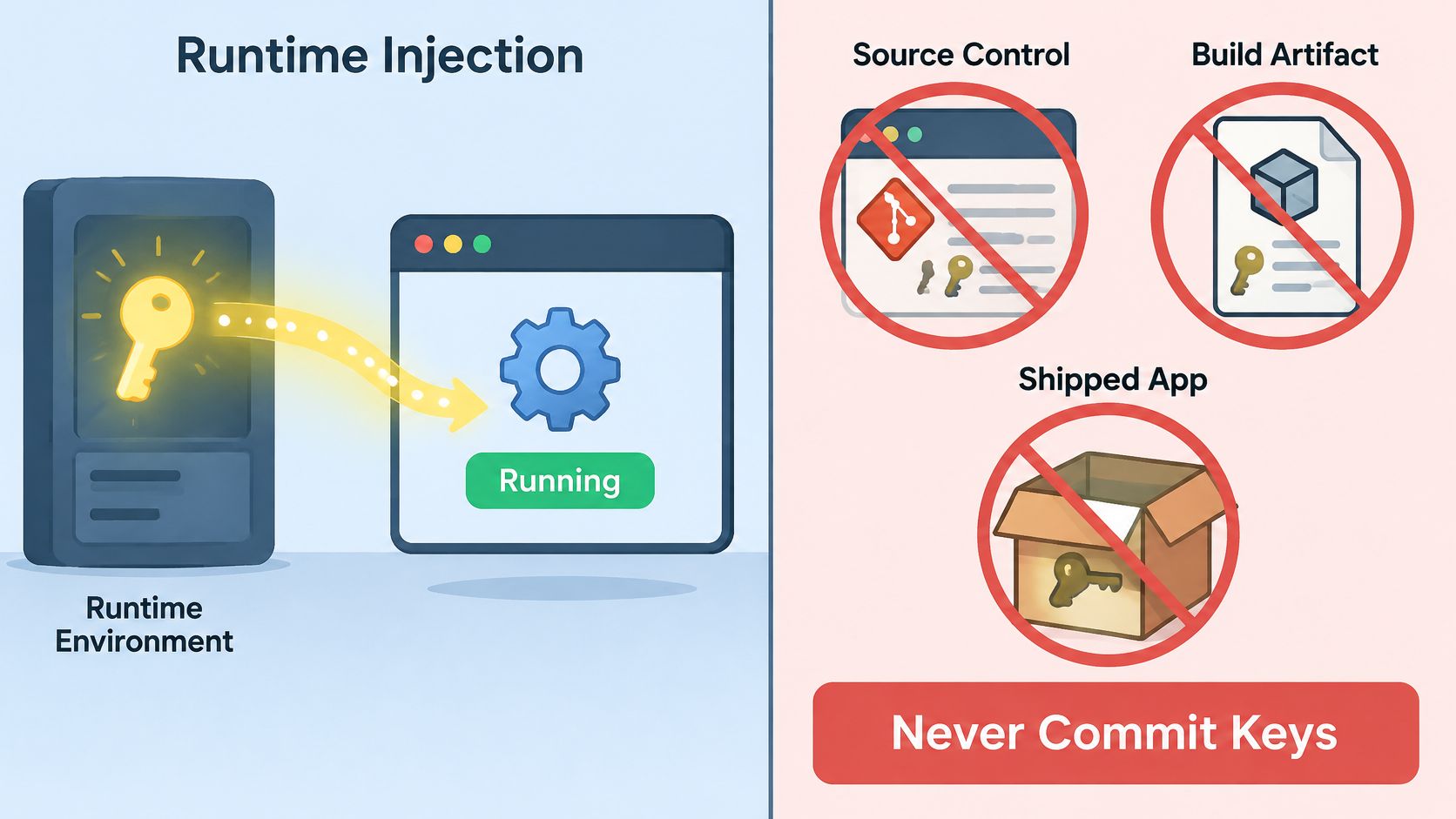
Inject secrets at runtime; keep them out of anything that gets committed, built, or shipped. The OWASP Key Management Cheat Sheet says secrets shouldn't be committed to repositories or embedded in build artifacts and recommends a dedicated secrets-management system or key vault.
| Location | Verdict | Reason |
|---|---|---|
| Source code file | Never | Copied into Git history and every clone |
Committed .env file | Never | Same exposure as source code |
| Client-side JavaScript or mobile app | Never | Anyone with the bundle can extract the key |
| Docker image layer | Never | Earlier layers can retain a secret after a later deletion |
| Secret manager read at runtime | Use | Access can be controlled and logged |
| Host environment variable | Use | Injected at startup and kept out of the repository |
Environment variables are a transport mechanism, not a vault. Process inspection, crash reports, debugging tools, or application logging can still expose them. Runtime injection works only if the surrounding process doesn't print or redistribute the value.
Keep credentials outside the agent's conversation
An agent connected through Claude Code, Cursor, Codex, MCP, or REST needs a configured authentication path. It doesn't need the credential pasted into a prompt, tool description, notebook, or shared snippet.
A wrapper process can read the secret and authenticate requests without adding the value to message content. Tool outputs should return task results, not request headers or complete environment dumps.
- Check variable presence without disclosure:
test -n "$MAIL_API_KEY"checks that a shell variable is populated without printing it. - Disable shell tracing:
set +xprevents subsequent shell commands from being echoed by tracing. Existing CI logging and application logging still need separate review. - Search tracked content:
git grep -n -I -E 'API_KEY|Authorization|Bearer'identifies likely credential-handling locations for inspection. It isn't a complete secret scanner. - Inspect release paths: Check generated bundles, container build inputs, support archives, and diagnostic output before publishing them.
The OWASP DevSecOps secrets-management guidance recommends runtime retrieval, access through workload identities, and separate credentials for separate environments. A development agent shouldn't inherit production access merely because both run the same code.
A secret reference belongs in configuration. The secret value doesn't belong in a committed configuration file.
Molted Email stores API keys only as hashes, never in plain text. A lost credential therefore requires a replacement, not recovery of the original value.
If a real key appears in a committed file, treat it as exposed. Adding the filename to .gitignore afterward doesn't undo the commit or invalidate copies already made.
How to Rotate a Key Without Downtime
Routine rotation is a cutover, not a simultaneous replacement everywhere. The application must start authenticating with the replacement before the original credential stops working. This requires a provider that permits overlapping credentials and a deployment process that can refresh the running consumer.
A longitudinal analysis of credentials exposed on webpages found that they remained publicly accessible for an average of 12 months, with some lasting several years. Explicit expiry dates prevent indefinite validity, but a timer doesn't replace a tested deployment procedure.
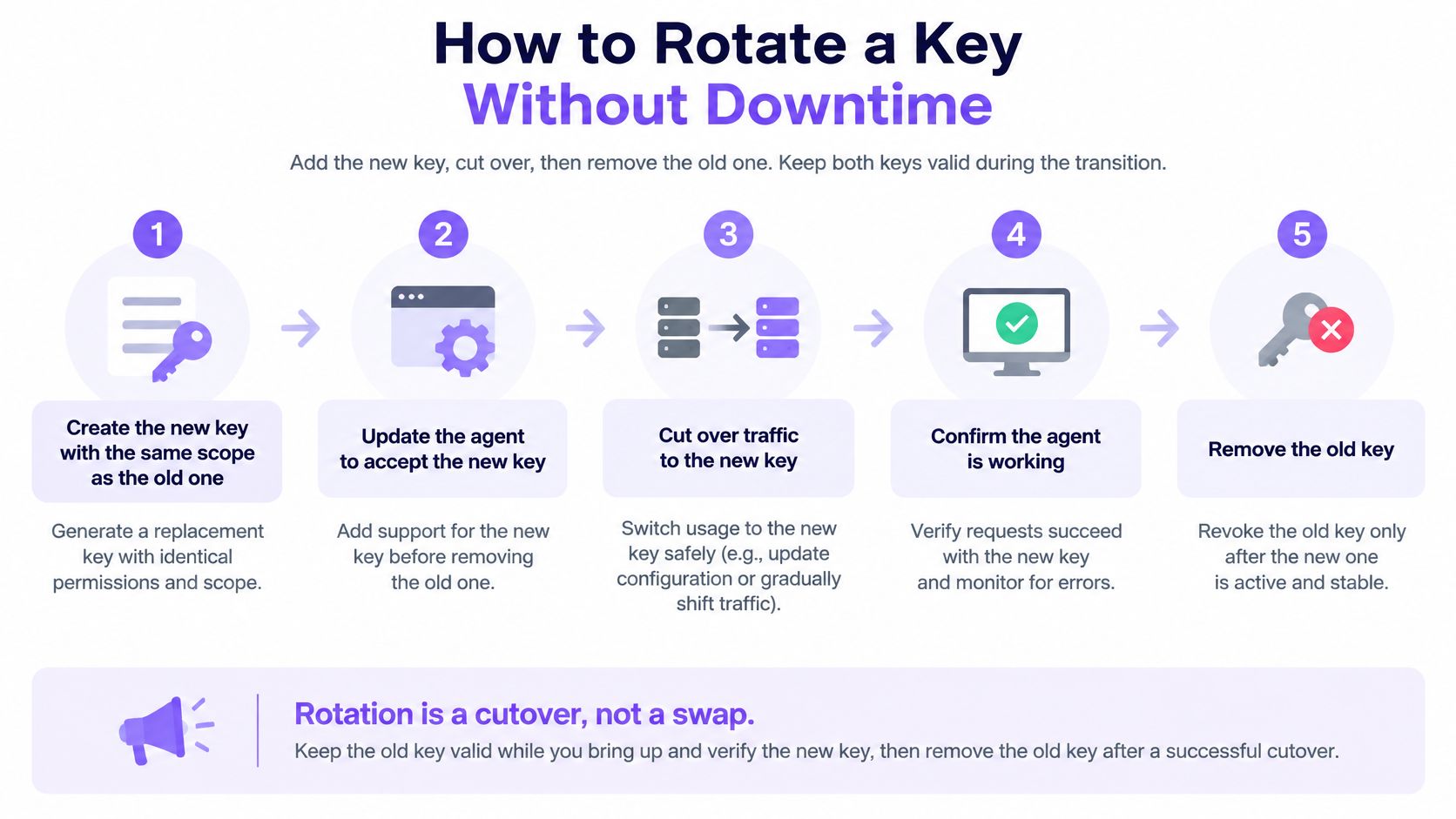
Use a bounded overlap window
-
Create the replacement with the same scope. Label it with its issue date and link it to the existing inventory entry. Rotation shouldn't add permissions.
-
Store the replacement in the secret manager. Update the deployment's secret reference or version, rather than editing source code or pasting the value into a deployment ticket.
-
Deploy the agent while the original key remains valid. Restart workers that load credentials only at startup, and account for scheduled jobs or queues that might still launch older configurations.
-
Test the new credential against a read-only operation. Expect a
200response from an endpoint documented to return it, and inspect the returned mailbox identity. Successful authentication to the wrong mailbox isn't a successful cutover. -
Watch usage associated with the old key for a complete job cycle. Any remaining request identifies a consumer that hasn't migrated; investigate it before ending routine overlap.
-
Revoke the old key and test it again. Confirm a
401authentication failure for an API that uses that response for invalid credentials, and retain the response metadata without retaining the secret in logs.
The overlap window should be tied to the slowest legitimate consumer, not an arbitrary sleep in a deployment script. A dormant scheduled worker may need an explicit test run rather than waiting for its next execution.
Separate authentication failures from throttling
The OWASP REST Security Cheat Sheet recommends per-request key checks, throttling responses using HTTP 429, and revocation paths. Clients should stop automatic credential retries on 401 or 403 and alert the operator; 429 calls for bounded backoff, respecting Retry-After when supplied.
Webhook authentication is a separate dependency. By default, each Molted Email webhook delivery carries an HMAC-SHA256 signature of the body, made with that endpoint's secret; replacing an API Bearer key isn't the same operation as replacing that signing secret.
A routine rotation isn't finished until the replacement works and the original credential demonstrably fails. Suspected compromise requires containment instead of a prolonged availability overlap.
How to Respond to a Leaked Key
Deletion isn't revocation. A 2026 empirical study of public repositories examined 313,647 repositories, found 9,149 containing 11,557 leaked keys, and reported that nearly 30% of keys found in repositories or commit histories were still valid.
The same source describes a separate healthcare-related AI repository analysis in which full-history scanning detected more than twice as many exposures as current-file scanning, with 58% of confirmed exposures recoverable only from deleted commits. Cleaning the latest file isn't proof that the credential disappeared, and disappearance wouldn't prove invalidation anyway.
Contain before cleaning
-
Revoke the exposed key first. Don't delay containment to prepare a tidy replacement deployment. If the application needs that key to operate, pause the affected work while access is restored safely.
-
Identify the consumer through the key label, inventory, and audit records. Establish the agent, mailbox, environment, responsible owner, and dependent automation before assuming the incident is confined to the process that reported it.
-
Review the authority available during the exposure window. Investigate readable messages, outbound requests, mailbox changes, and denied operations, then distinguish confirmed activity from activity the logging system can't establish.
-
Choose retirement or replacement. Leave an unnecessary key revoked. Issue a replacement only for a workflow that still has a legitimate purpose, after checking that its host or execution environment wasn't also compromised.
-
Preserve evidence, then remove the secret from accessible history and artifacts. Keep restricted copies of relevant commits, timestamps, key identifiers, and request records, without redistributing the credential through incident tickets.
-
Test the revoked credential against a known protected endpoint. Record the rejection, then check whether sessions, delegated tokens, or other credentials created through the compromised identity require separate invalidation.
A paused worker is often a better outcome than an attacker retaining send access while an operator tries to avoid a deployment interruption. Availability remains important, but emergency containment and scheduled maintenance have different priorities.
Containment test: An incident remains open until an operator has evidence that the exposed credential can no longer authorize requests.
Preserve a usable timeline
Record when exposure probably began, when the team detected it, when revocation was requested, and when rejection was verified. Where the start time is uncertain, mark it as uncertain rather than treating discovery as the beginning of exposure.
These timestamps support meaningful recovery targets: time to detection, time to revocation, and time to verified invalidation. Evidence should also show the limits of the investigation, including missing logs or consumers that couldn't be identified.
Limit the Damage From a Compromised Agent Key
A malicious instruction hidden in a phishing email can persuade an email-monitoring agent to download malware, according to U.S. government guidance on agentic AI. That guidance also identifies prompts, organizational data, and integrated-service API keys as information that an agent compromise may expose.
An email body is therefore untrusted input, even when it appears inside a legitimate customer thread. It mustn't become authority to change tools, disclose credentials, alter recipients, or fetch executable content.
Put independent controls around execution
- Screen before processing: Apply prompt-injection screening and quarantine before risky content reaches ordinary agent workflows. A prompt telling the agent to ignore malicious instructions isn't an independent control.
- End access with the job: Where supported, issue an ephemeral credential at job start and invalidate it when execution ends. Dropping a local variable doesn't invalidate a credential at the server.
- Restrict the execution context: Bind credentials to the expected application and supported API operations, not just an account identity.
- Keep governance elsewhere: The credential used for daily work mustn't also permit the agent to remove the restrictions on that work.
Google Cloud's API-key best practices recommend both application restrictions and API restrictions. For server-side automation, the practical question is whether a stolen credential can work from an unauthorized environment or invoke an unrelated service.
These restrictions are complementary. A mailbox boundary limits accessible resources; an application restriction limits where a request can originate; an operation restriction limits what the request can do. None makes malicious use within the allowed boundary harmless.
Bound behavior as well as authentication
A valid send permission can still produce repeated outreach, unwanted recipients, or replies after a person has taken over a conversation. Recipient policy, duplicate checks, cooldowns, suppression enforcement, and approval decisions belong outside the agent's own reasoning loop.
An agent using Molted Email cannot switch off prompt-injection and quarantine checks. It also can't loosen its own rules, release quarantined originals, or approve its own sends, so possession of its normal credential doesn't grant authority to remove those boundaries.
The AI agent security guide provides context for examining these controls as execution boundaries rather than prompt-writing techniques.
A controlled compromise test should use a disposable credential in a test environment. Attempt an unrelated mailbox read, an unauthorized settings change, a quarantined-message release, and a send that policy should block; record both the response and the associated audit event.
Any accepted operation beyond the task's requirements identifies authority to remove. A newly rotated overprivileged key would retain that same problem.
Audit Your Keys This Week
Export the inventory before changing credentials. The working list should identify every active key, its agent, mailbox, owner, scope, and last-used date, without including secret values.
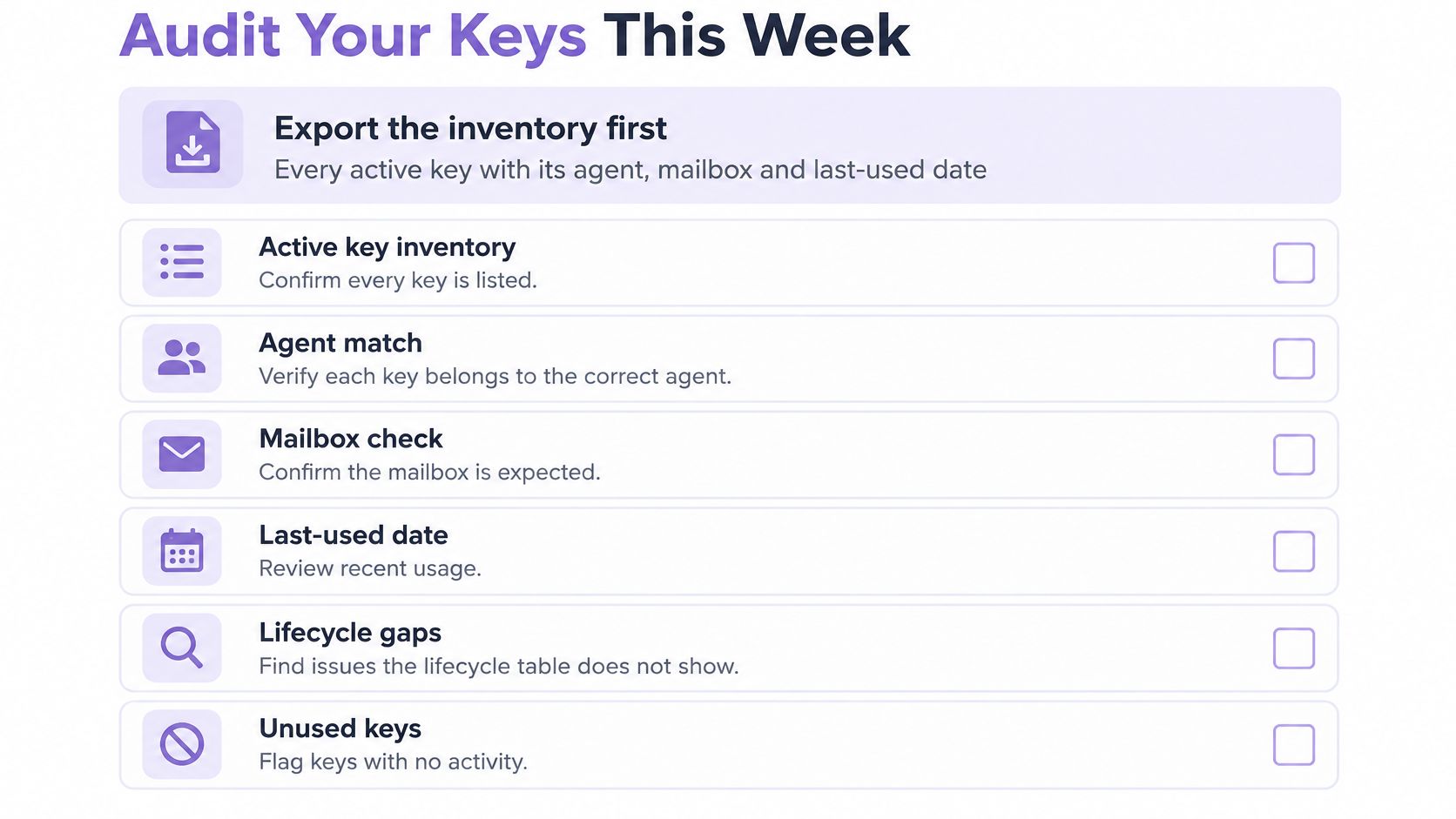
- Reconcile active access: Match issued credentials to deployed agents and flag unexplained or unused keys for revocation review.
- Inspect release surfaces: Scan repositories, complete commit histories, client bundles, container images, and generated agent artifacts.
- Verify job endings: Confirm that temporary credentials become invalid when their scheduled work ends.
- Check attribution: Ensure request records identify the key and mailbox without recording the Bearer secret.
- Exercise revocation: Revoke a disposable test key and confirm the documented authentication failure, including a
401where applicable. - Assign unresolved work: Give every failed check an owner and a deploy-blocking decision.
The mailbox audit-log guide helps frame the evidence needed to investigate email actions. Logs should support an operational question, such as which credential attempted a send, rather than merely confirming that a worker ran.
For teams maintaining formal evidence, ISO Security's security compliance guidance for UK firms provides broader context for documenting controls and ownership. A checklist isn't evidence until the team records its results.
Any unchecked item is a question to resolve before the next deployment. The next concrete action is to create a separate mailbox for each agent and bind its credential to that job.
Molted Email gives agents their own addresses and inboxes, with mailbox-scoped credentials and policy checks on outgoing mail. Create a mailbox for each agent so access can be bounded and revoked without sharing a general-purpose credential. Start free at molted.email (free for people, paid plans from $19 a month).