SPF DKIM DMARC Records: Setup, Syntax and Alignment
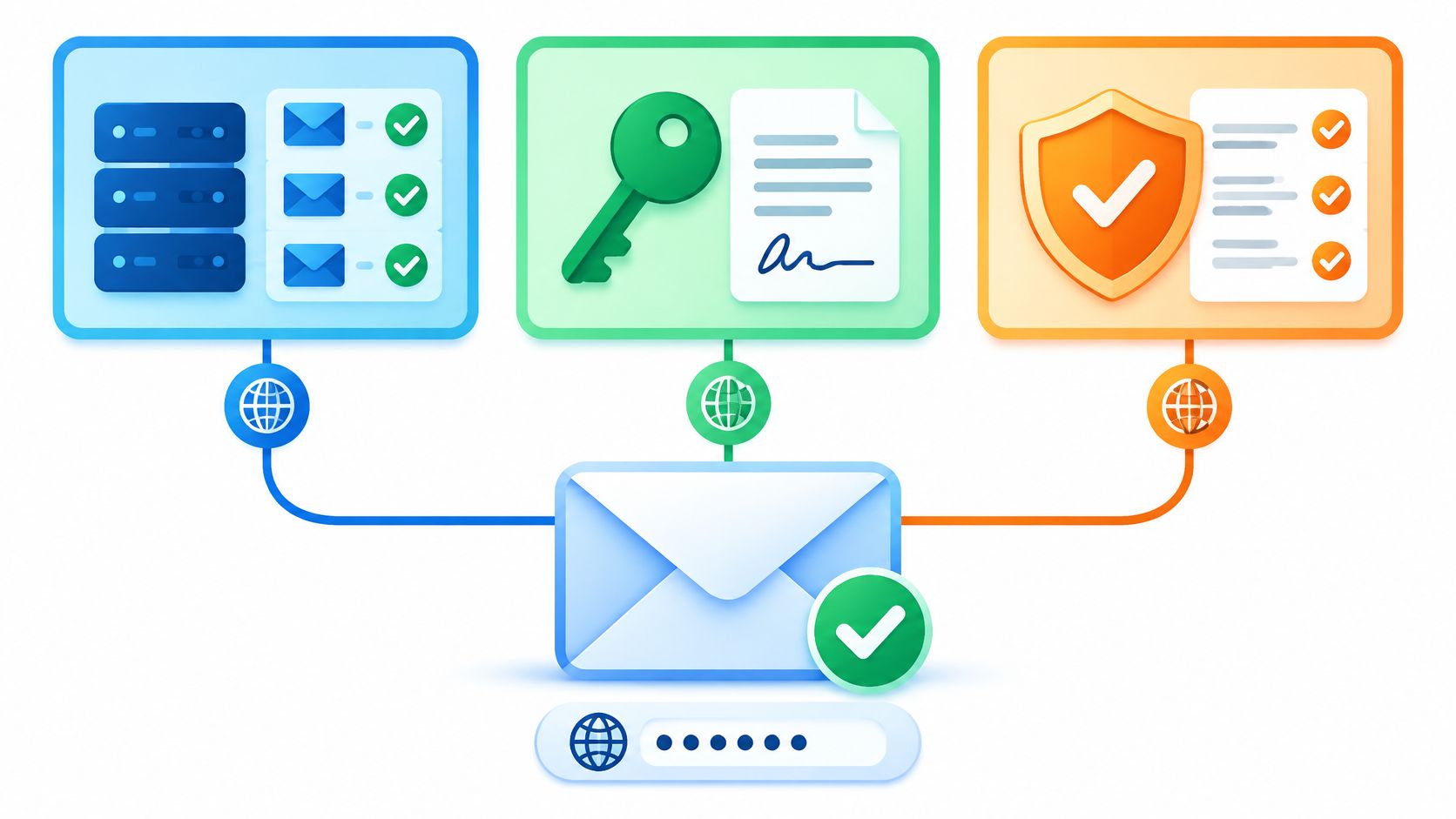
A mailbox can pass every authentication check and still be the reason mail lands in spam. The more common failure runs the other way: a domain publishes all three records, they resolve cleanly, and legitimate messages still fail because one sender was never added or one key was rotated badly.
The gap between having records and having working records is measurable. In a USENIX Security study covering 1,000,000 high-traffic domains, 84% of the 3,631,768 domains with observed DKIM keys were still using keys of 1,024 bits or less, and 10 of the Alexa Top 20 had not rotated a DKIM key in five years (the USENIX Security measurement study).
Records that exist are not records that work. What follows is the operational version: what each record asserts, how to publish them without breaking delivery, and where alignment, lookup budgets and key rotation decide whether a message arrives at all.
Table of Contents
- What Each Record Checks and Where It Lives
- How to Publish SPF, DKIM and DMARC Records
- How Alignment Decides Whether DMARC Passes
- Staying Under the SPF Ten-Lookup Limit
- Rotating DKIM Keys Without Breaking Delivery
- Moving DMARC from None to Reject Safely
- Diagnosing DMARC Failures and Their Fixes
- What Authentication Does Not Prove About a Message
- Confirm Your Records and Start Monitoring
What Each Record Checks and Where It Lives
One missed sender, one nested include, or one stale selector fails legitimate mail with no warning. The three records answer different questions, and a receiver treats them as one system. Drop any of them and the failure has a predictable shape.
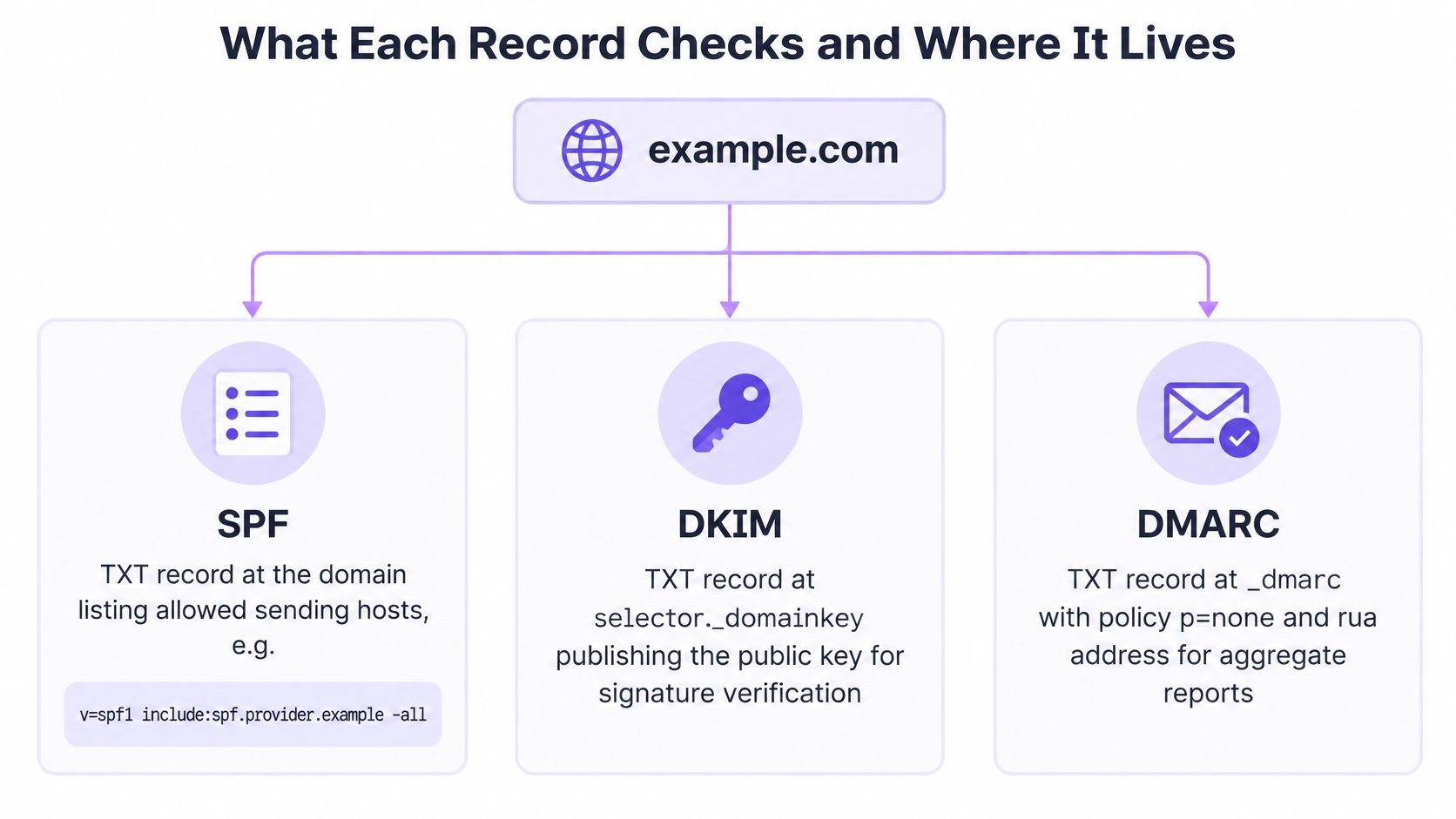
Keep this comparison open while you wire a new sending domain.
| Protocol | Question it answers | DNS location | Pass condition |
|---|---|---|---|
| SPF | Is this server allowed to send for the envelope domain? | TXT record at the domain | Sending IP or included host matches the published policy |
| DKIM | Was this content signed by a domain and left unchanged? | TXT record at selector._domainkey.domain | Signature verifies against the published public key |
| DMARC | Does the visible From domain align with a passing SPF or DKIM domain? | TXT record at _dmarc.domain | At least one aligned pass, then the policy is applied on failure |
SPF is a TXT record at the domain that lists the hosts allowed to send for it, for example v=spf1 include:spf.provider.example -all. DKIM is a TXT record at s1._domainkey.example.com holding the public key that verifies a cryptographic signature over selected headers and the body. DMARC is a TXT record at _dmarc.example.com holding a policy and a reporting address.
DMARC authenticates nothing itself. It reads the SPF and DKIM results a receiver already computed, checks whether either authenticated domain matches the domain in the visible From header, and applies the published policy when neither aligns.
Partial setups fail in ways that look unrelated to the missing piece. SPF breaks on forwarding, because the forwarder's server is not in your record. DKIM breaks when a mailbox rule or security gateway rewrites a signed header or appends a disclaimer. DMARC breaks when the visible From domain has no relationship to either authenticated domain, which is what happens when a vendor signs with its own domain instead of yours.
The standards themselves are settled. RFC 7208, published by the IETF in April 2014, fixed SPF's syntax. Plenty of domains still lack one or more of the three records, so the checks never close as a system.
How to Publish SPF, DKIM and DMARC Records
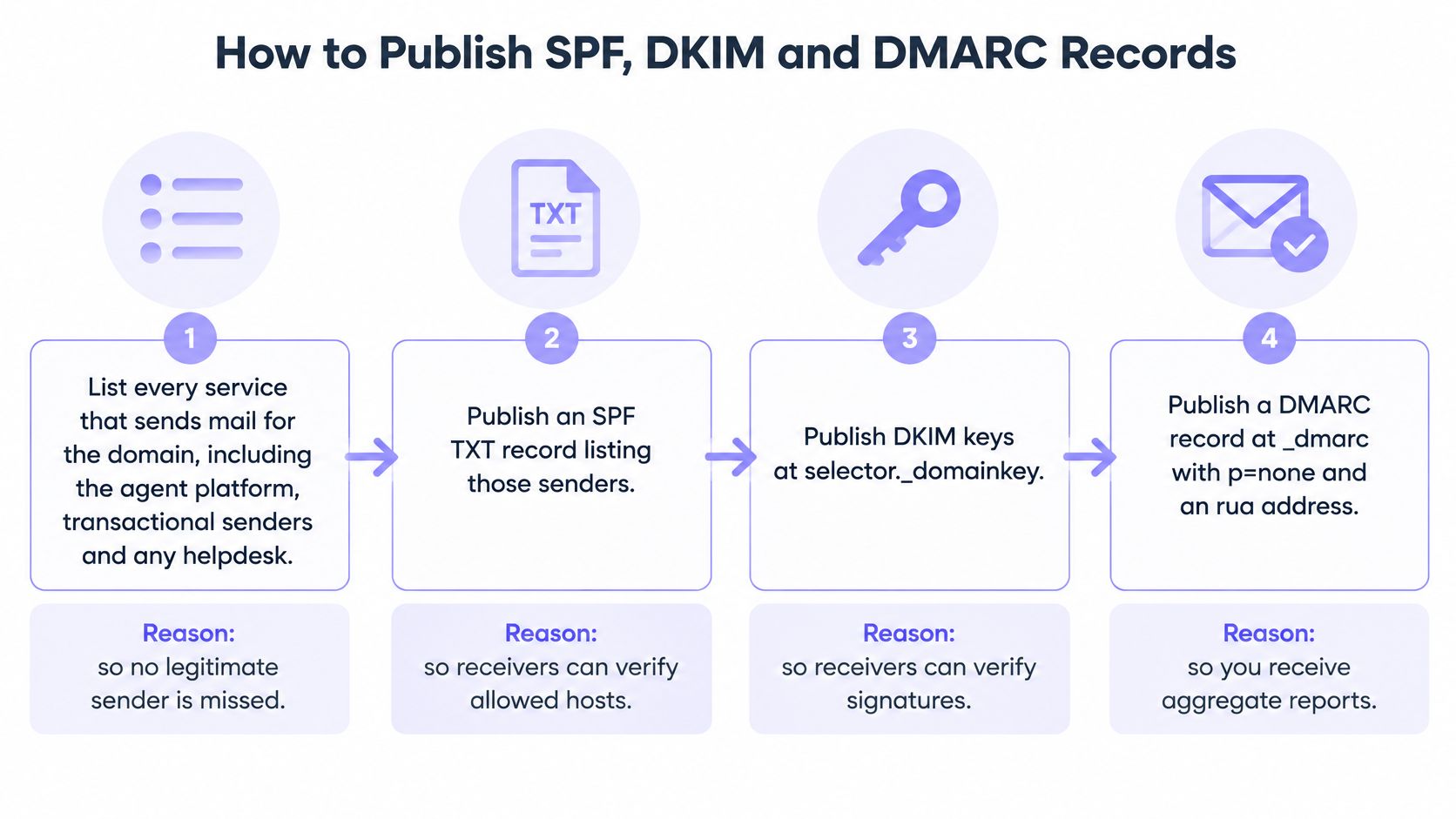
A single missed sender, a second SPF record, or a selector that never left the control panel drops legitimate mail with no warning in the panel that published it.
Publishing is one system. Each of the five steps fails on its own, and the failure shows up only when a receiver evaluates the message.
- List every service that sends mail for the domain. The agent platform, the transactional sender, the helpdesk, the CRM, and the calendar notification service. Each needs an SPF include or its own DKIM selector. Leave one out and that stream fails once the policy tightens, while the others still pass.
- Publish one SPF TXT record at the domain. One record, one include per sender, ending in
-allor~all, for examplev=spf1 include:spf.provider.example -all. Twov=spf1records at the same name produce a permanent error (permerror). Merge them. Do not add a second record. - Generate a DKIM key pair per sending service. Publish the public half as a TXT record at a named selector such as
s1._domainkey.example.com, and keep the private key with the sender. A private key that lands in DNS is a key anyone can sign with. A selector you never publish is adkim=failat every receiver. - Publish the DMARC record at
_dmarc.example.com, for examplev=DMARC1; p=none; rua=mailto:dmarc-reports@example.com; adkim=r; aspf=r. A typo inv=makes receivers ignore the record entirely, so there is no policy and no aggregate mail. - Verify every record from outside your own resolver before declaring the domain live. Authoritative answers and a local cache often disagree for hours after a change.
What the DMARC tags mean
| Tag | What it sets | Value in the example |
|---|---|---|
| v | Protocol version, must match exactly | DMARC1 |
| p | Action on failure | none, quarantine or reject |
| rua | Address for aggregate reports | mailto:dmarc-reports@example.com |
| adkim | DKIM alignment mode, relaxed or strict | r |
| aspf | SPF alignment mode, relaxed or strict | r |
Run dig TXT example.com +short, dig TXT s1._domainkey.example.com +short and dig TXT _dmarc.example.com +short. Read that output, not the control panel. Those three answers are what says the records are live and syntactically valid.
Decide the SPF qualifier before the first real send. ~all is a softfail, so a missed sender still lets DKIM and DMARC decide the outcome. -all fails SPF hard. Start at ~all during rollout. Move to -all once the reports show no legitimate sender left outside the record.
The same DNS job applies on any platform, including one-click verification of a custom sending domain. Molted Email adds and verifies sending domains with DKIM, SPF, and DMARC records. A custom domain cannot send until those records check out.
How Alignment Decides Whether DMARC Passes
A message can pass SPF and still fail DMARC. A message can pass DKIM and still fail DMARC. The reason is alignment, a rule many teams discover only after enforcement breaks a working sender.
DMARC evaluates the domain users see in the From header and requires it to align with either an authenticated SPF domain or the DKIM signing domain (RFC 7489). Relaxed alignment lets the authenticated domain and the From domain sit on different subdomains under the same organizational domain. Strict alignment requires an exact fully qualified match.
The four cases that decide the outcome
| Case | SPF result | DKIM result | DMARC outcome |
|---|---|---|---|
| Vendor envelope, customer From, DKIM d= matches customer domain | Pass, not aligned | Pass, aligned | Pass |
| SPF passes on an unrelated envelope domain, DKIM not signed | Pass, not aligned | None | Fail |
| Forwarded message, SPF fails at the forwarder, DKIM still valid | Fail | Pass, aligned | Pass |
| Mailing list rewrites body, DKIM breaks, SPF fails at the list | Fail | Fail | Fail |
The first row is the one to design for. Your agent sends from agent@acme.dev, so the DKIM d= domain has to be acme.dev and the SPF include has to cover the host putting the message on the wire. If the sending service signs as d=sender-platform.example instead, the message passes DKIM and fails DMARC, and no amount of SPF tuning fixes it.
Before enabling enforcement, pull a copy of a real sent message and read the d= and s= values off the DKIM-Signature header, then read spf= and dkim= off the Authentication-Results header on the received copy. Those four values tell you which of the four rows you're in.
Working rule: sign every outbound message with a domain the mailbox operator controls, and read the
d=value from a received message rather than from the sending tool's settings page.
Staying Under the SPF Ten-Lookup Limit
One SPF check gets a budget of 10 DNS-dependent mechanisms and modifiers. Go over it and the result must be permerror, which receivers treat as a failure, not a warning (RFC 7208 errata). Mail from a legitimate sender gets rejected while the record on screen still looks short.
| Term | Counts toward the 10-lookup limit | Notes |
|---|---|---|
| include | Yes | Lookups inside the included record also count |
| a | Yes | Resolves the domain's A records at check time |
| mx | Yes | Resolves MX hosts, then their A records |
| ptr | Yes | Slow and unreliable, avoid in new records |
| exists | Yes | One DNS query per use |
| redirect | Yes | Replaces the whole policy and counts its lookups |
| all | No | Ends the record with the default result |
| ip4 | No | Literal IPv4 address or range, no DNS query |
| ip6 | No | Literal IPv6 address or range, no DNS query |
Nested records are where the budget disappears. Say an agent platform, a CRM, a helpdesk, a calendar service, a transactional sender and a newsletter tool each add an include, and three of those pull in two more apiece. The visible record has six entries. Evaluation hits ten lookups partway through the fourth include and returns permerror for every sender after it.
The fixes are mechanical. Remove includes for services that no longer send. Replace a and mx mechanisms with literal ip4 or ip6 entries where the addresses are stable. Drop ptr entirely. Move a vendor with a deep include tree onto its own sending subdomain so its lookups don't share your budget. Literal IPs are not a free win, though: when a vendor rotates its ranges, the record goes stale, so re-check the count with an SPF lookup tool before each policy change.
Then check for two v=spf1 TXT records at the same name. Some DNS panels let a second one exist without complaint, and receivers return permerror for both. Merge them into one record with one qualifier at the end.
Rotating DKIM Keys Without Breaking Delivery
A verifier never trusts a key embedded in the message. It reads the signing domain and selector from the DKIM-Signature header, queries DNS for the public key, then re-computes the hash over the declared headers and the body (RFC 6376). Miss the record and verification fails, even with a perfectly signed message.
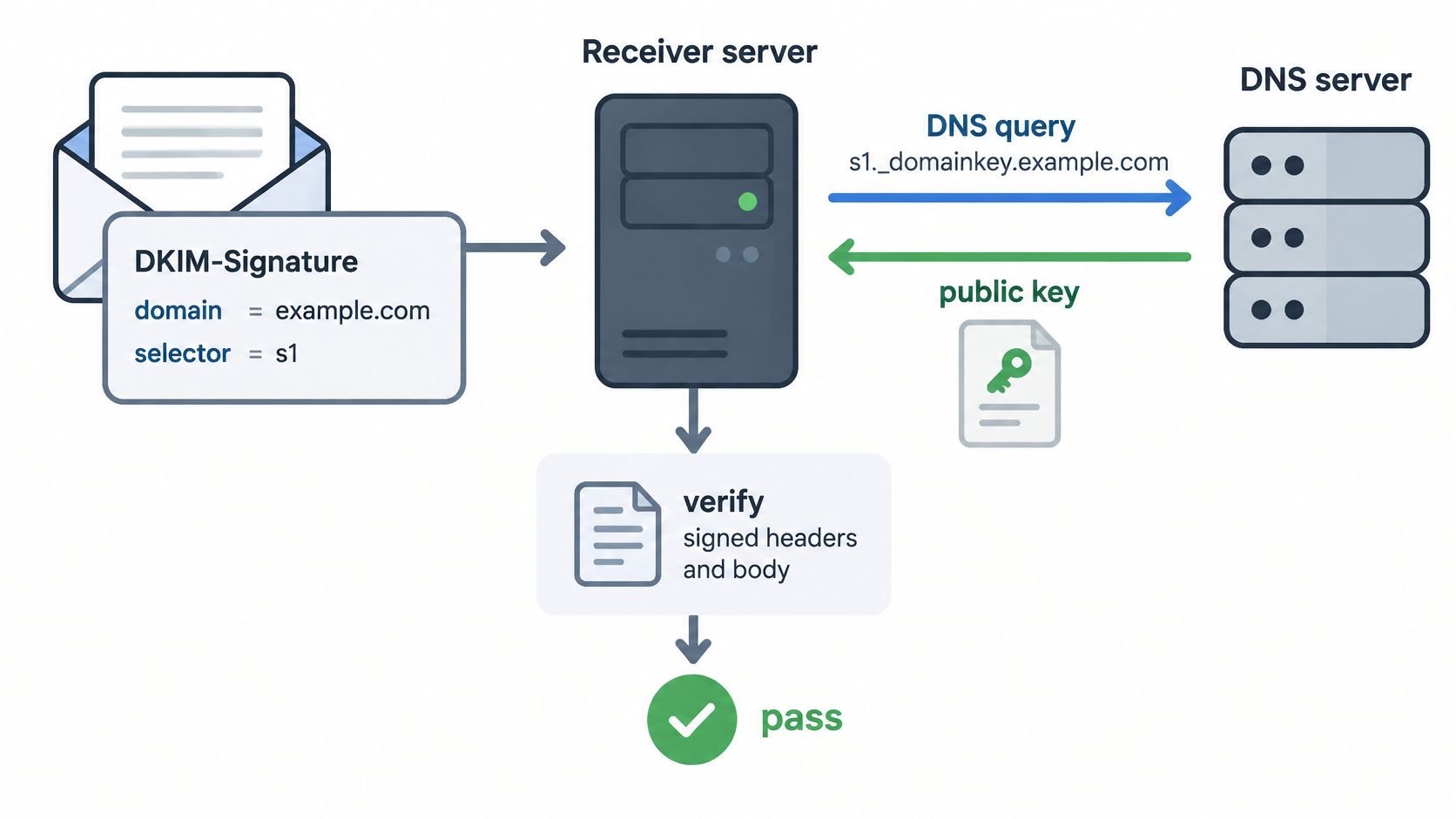
Because verification depends on that lookup, a key must stay published for as long as any message signed with it could still be queued, retried or in flight. That constraint sets the rotation order.
- Generate a new key pair and give it a new selector,
s2, never the old name. - Publish the new public key at
s2._domainkey.example.comand wait for DNS to propagate. - Switch the sender to sign with
s2. - Keep
s1published until queued and retried mail signed with it has cleared. - Remove
s1and record the date so the next rotation has a reference point.
Generate 2048-bit keys where the provider allows it. Shorter keys are still common and no longer worth the risk.
The three errors that break delivery
Deleting the old selector too early fails every message still in a retry queue. Reusing a selector name for a new key means resolvers holding a cached copy verify against a key that no longer exists. Letting a DNS panel split the TXT value produces a record that looks present but parses wrong, and every signature check fails.
Finish by sending a test message to an outside mailbox, reading the Authentication-Results header, and confirming dkim=pass with the new selector while the old one is still published. Only then remove the old record.
Moving DMARC from None to Reject Safely
p=none is observation only. The aggregate reports sent to the rua address are the entire output, and a DMARC record without rua gives nothing to act on. Most stalled deployments publish a record and never read the reports.
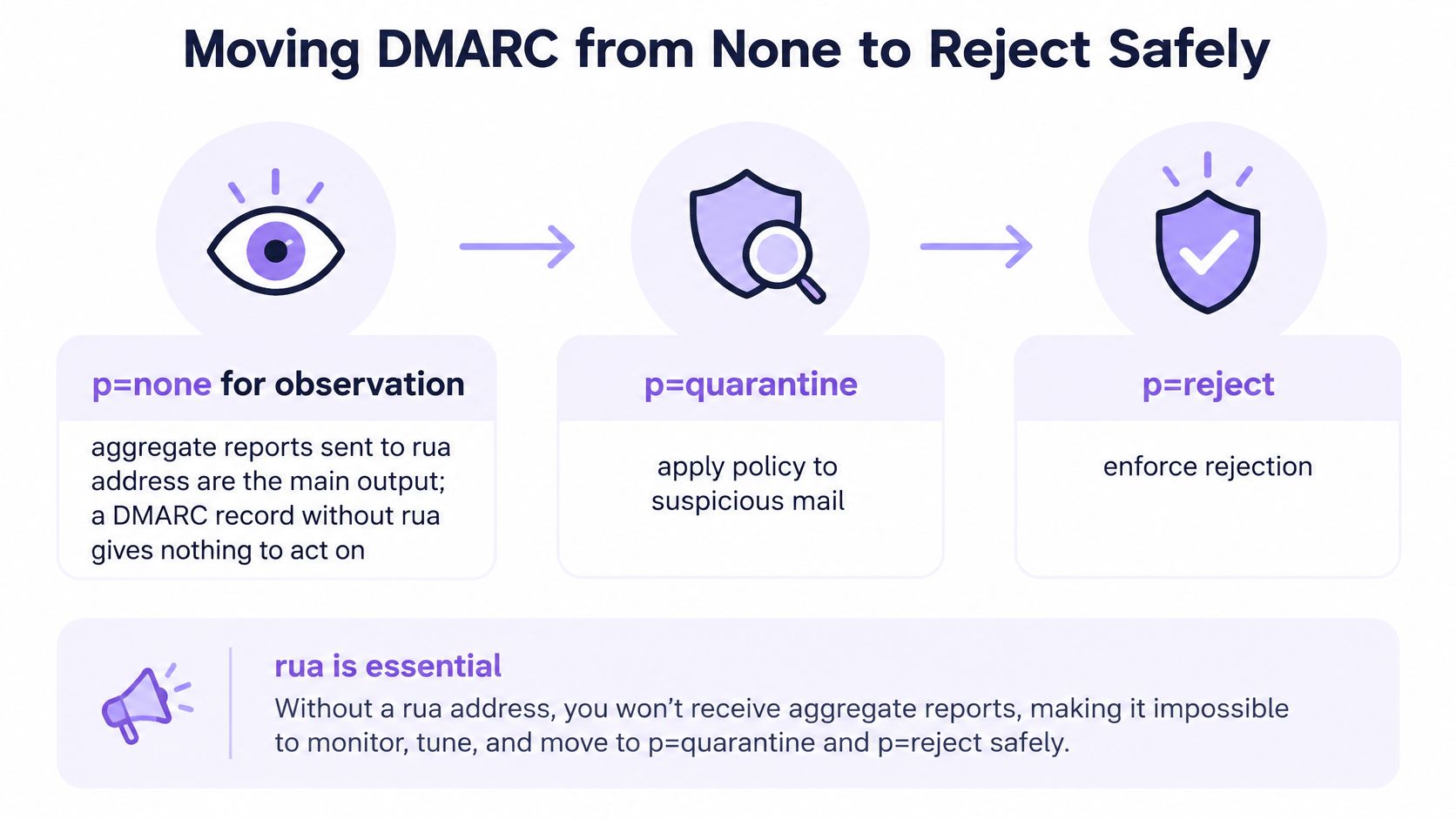
Three stages with exit conditions
Observe. v=DMARC1; p=none; rua=mailto:dmarc-reports@example.com. Exit when every legitimate sender in the reports shows an aligned pass.
Partial enforcement. v=DMARC1; p=quarantine; pct=10; rua=mailto:dmarc-reports@example.com. Raise pct in steps. Exit when failures from known senders have been gone for a full reporting period.
Full enforcement. v=DMARC1; p=reject; rua=mailto:dmarc-reports@example.com with pct at 100. Exit when ongoing reports show no legitimate failures, which is to say never stop checking.
The order that keeps this from becoming an outage: collect reports for several weeks of normal traffic, list every source in them including agent platforms, support tools and CRM sends, fix or remove each failing source, then raise the policy one stage at a time.
Order matters more than speed. A reject policy published before every sending path carries DKIM turns forwarded legitimate mail into a silent failure, and the sender never sees a bounce.
Forwarding is the specific risk. A forwarded message loses SPF at the forwarder and survives only if the original DKIM signature is intact. Enforce reject before your own outbound paths are signed and you'll block mail you wanted.
Diagnosing DMARC Failures and Their Fixes
Failures look alike in a mailbox and completely different in the header. An analysis of 1.2 billion messages across 2,400 domains traced legitimate DMARC failures to SPF misconfiguration in 38% of cases, forwarding or mailing-list changes in 29%, DKIM key or selector problems in 14%, and DNS or DMARC syntax issues in 11% (an analysis of 1.2 billion messages across 2,400 domains).
Read the header first
Pull the Authentication-Results header from a received copy before changing anything. It names which check failed and why, and it saves an hour of guessing at DNS.
| Symptom | Likely cause | Fix |
|---|---|---|
| spf=permerror on a legitimate sender | More than 10 SPF lookups or two SPF records | Cut the lookups and keep one record |
| spf=pass but dmarc=fail | Envelope domain not aligned with From | Use a sending subdomain under the From domain, or rely on aligned DKIM |
| dkim=fail on a valid-looking record | Selector mismatch or altered body | Confirm the d= and s= values match the published record, and stop body edits in transit |
| Forwarded mail fails DMARC | Forwarder changed the envelope, DKIM not kept | Keep the original DKIM signature and sign on every sending path |
| The record reports a syntax error | Misspelled tag or two TXT records at _dmarc | Keep one DMARC record and check each tag against the published example |
Run the record through a lookup tool after reading the header. The header tells you which check failed; the lookup tells you why the record itself is wrong.
Then separate authentication from reputation. A message can pass all three checks and still land in spam because of sending history, content or recipient engagement, and no DNS change fixes that. Bounce handling is a separate discipline; email bounce rate and how to read it covers what to do when delivery fails after authentication succeeds.
What Authentication Does Not Prove About a Message
All three records prove a domain identity. None of them proves intent, and treating a DMARC pass as permission is how agent mailboxes get steered.
A message sent from a compromised account at a properly authenticated domain passes every check. A lookalike domain or an attacker-owned domain publishes its own valid SPF, DKIM and DMARC records and passes too. The records answer who sent this and whether it changed in transit. They don't answer whether the request inside is safe.
- Screen inbound bodies for instruction-like text before the agent reads them, not after it acts.
- Quarantine high-risk messages so a person releases the original rather than the agent summarizing it.
- Scope mailbox permissions to read or send as the workflow needs, per key and per mailbox.
- Require approval for first contact with a new recipient, which caps the damage from a redirected thread.
- Log every send and every block, with the rule that stopped it, so a bad pattern is visible.
Treat authenticated mail as identified mail, not as trusted instructions.
Each control sits on top of the records rather than replacing them. SPF and DKIM narrow who can send as a domain, DMARC makes the From domain accountable, and the controls above decide what the agent does with a message that arrived. The wider set of transport and policy rules around this layer is covered in email hardening advice from Accelerate IT Services.
Confirm Your Records and Start Monitoring
Six checks close the loop, in the order that surfaces problems fastest.
- Inventory every sender and confirm each one either appears as an SPF include or signs with its own DKIM selector.
- Count the SPF lookups, including everything nested inside includes, and keep the total at 10 or fewer.
- Resolve each DKIM selector with
digand confirm the key is 2048 bits where the provider allows it. - Publish the DMARC record with a
ruaaddress and start atp=noneso reports arrive before policy bites. - Send a test message and read the received copy for
spf=pass,dkim=passanddmarc=passin the Authentication-Results header. - Review reports weekly and move one policy stage at a time, never two.
Agent mailboxes need the records in place before the first send, not after. If approvals are available, requiring them for first contact with a new recipient is a reasonable guard while the reports are still noisy. For the wider picture on how authentication, bounce handling and sender reputation interact once an agent is live, there's a technical guide to email deliverability for AI agents that picks up where the DNS work ends, and the email security roadmap for SMBs from Nutmeg Technologies covers the organisational side of the same rollout.
The infrastructure question is separate from the DNS question. Molted Email is a mailbox for AI agents, giving each agent its own address and inbox with sending, receiving and delivery included, so there's no separate Resend, Postmark or SES account and no mail-provider API key to manage. Signing up is free for people, and paid plans start at $19 a month with custom domains. Start free at molted.email
Giving an agent its own address only works if the domain behind it authenticates, and that means SPF, DKIM and DMARC records that survive real volume rather than a checklist that stops at publication. Molted Email gives each agent a mailbox with sending and receiving included, verified sending domains and no separate provider account to wire up. Start with a free mailbox, publish the records, and read the reports before you tighten the policy.